Tally Integration for Manufacturing: Never Enter Production Data Twice Again
How Trakto Sits on Top of Tally for Seamless Material Tracking (2026 Guide)
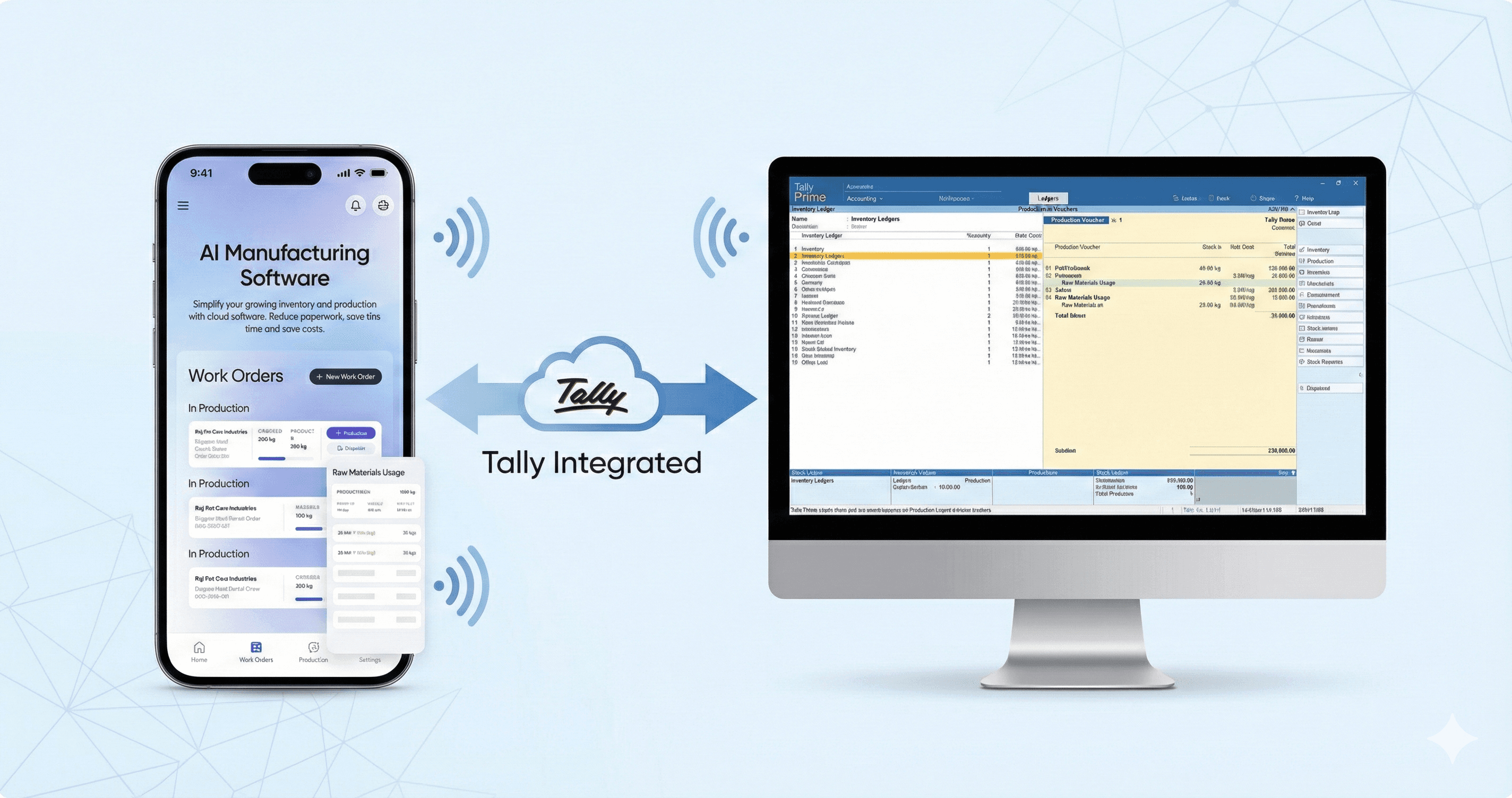
If you're running a small manufacturing unit in India, chances are you're already using Tally for accounting. But here's the daily frustration: your accountant enters purchase receipts in Tally, then your shop floor supervisor has to manually update the same information in their production register or Excel sheet.
This isn't just double work. It's the wrong people doing data entry. Your shop floor supervisor's job is to manage production, ensure quality, and coordinate workers; not sit at a computer typing numbers that already exist in Tally.
Here's what should happen: Your accountant enters purchase receipts in Tally (as they always do). Your production team opens their mobile app and instantly sees updated stock quantities. Zero data entry from shop floor. Everyone does their actual job.
The solution isn't replacing Tally (it handles your GST and accounting perfectly). The solution is production planning software that sits on top of Tally and automatically pulls purchase data, so your production team never touches data entry. Let me show you exactly how this works.
The Real Problem: Why Manufacturers Struggle with Tally for Production
Tally is excellent accounting software. It handles GST, generates invoices, tracks your bank accounts—everything an accountant needs. But Tally was never built for production planning. Here's why manufacturers face problems:
Problem 1: No Bill of Materials (BOM) Management
Tally doesn't understand that to make 1 chair, you need 4 legs + 1 seat + 6 screws + 200ml varnish. Every time you complete a production order, you have to manually calculate material consumption and create separate vouchers in Tally. This is time-consuming and error-prone.
Problem 2: No Production Scheduling
Tally shows you current stock levels, but it can't tell you "You have 5 pending orders, and if you complete them all, you'll run out of Mild Steel on March 15th." You need production planning software that looks ahead and warns you before stockouts happen.
Problem 3: Factory Workers Don't Use Tally
Your shop floor supervisor finishes a job and writes in a register. Then your accountant enters the same data in Tally the next day (or next week). This delay means your real-time stock reports are always outdated. By the time Tally shows you're low on material, you've already stopped production.
Problem 4: Double Data Entry Everywhere
Purchase order arrives? Enter in Tally. Same material issued to production? Enter again in Tally. Production complete? Enter finished goods in Tally. Every movement requires manual entry. One person's mistake breaks the entire chain.
Problem 5: Shop Floor Workers Forced to Do Data Entry, Not Production.
Your shop floor supervisor's actual job: Manage 15 workers, ensure quality, coordinate machine schedules, troubleshoot production problems. Their job is NOT to sit at a computer updating Excel sheets.
But here's what happens today:
Monday 10 AM: Accountant enters purchase in Tally (500 kg steel received)
Monday 11 AM: Supervisor comes to office, manually updates their production stock register with same 500 kg
Monday 3 PM: Material issued to production, supervisor updates register again
Tuesday morning: Supervisor spends 30 minutes reconciling their register with what accountant entered in Tally
Result: Your most expensive employee (production supervisor) wastes 2-3 hours per week doing clerical work that adds zero value. They should be on the shop floor, not behind a desk.
The Solution: Manufacturing Software That Sits on Top of Tally
Here's the key insight: You don't need to replace Tally. You need production planning software that integrates with Tally automatically—and here's the magic: Your shop floor team NEVER does data entry.
Tally handles: Accounting, GST returns, invoicing, financial reports, purchase entries
Manufacturing software handles: Production planning, BOM management, job scheduling, work order tracking
Integration handles: Automatically pulling purchase data from Tally into production system
The workflow becomes:
Accountant enters purchase receipt in Tally (their normal job)
Trakto automatically syncs the stock quantity within minutes
Production supervisor opens mobile app, sees updated available stock
Supervisor schedules jobs based on real-time data
Shop floor team focuses 100% on production, zero time on data entry
This solves the core problem: Accountants do accounting work. Production teams do production work. Nobody does unnecessary data entry twice.
How Trakto + Tally Integration Works (Step-by-Step)
Let's walk through a real production scenario to see exactly how the integration eliminates double entry:
Step | What Happens in Trakto | What Happens in Tally (Automatic) |
|---|---|---|
1. Purchase Receipt | Accountant enters purchase in Tally as normal: 500 kg Mild Steel received, vendor invoice details, GST information. Production team doesn't touch Tally or do any data entry. | Trakto automatically syncs within 5 minutes. Production supervisor opens mobile app → Sees 500 kg Mild Steel available for scheduling. Zero manual entry from shop floor. |
2. Production Order | You create Work Order for 100 chairs. Trakto calculates BOM: needs 50 kg steel, 400 screws, 20L varnish. | Tally reserves these materials (marks them as allocated to production). Your available stock reduces. |
3. Material Issue | Shop floor supervisor clicks 'Issue Materials' in Trakto. Materials physically move to production floor. | Tally creates Material Consumption voucher. Deducts 50 kg steel, 400 screws, 20L varnish from raw material stock. |
4. Production Complete | Supervisor marks job complete in Trakto: 100 chairs finished, passed quality check. | Tally creates Manufacturing voucher. Adds 100 chairs to finished goods inventory. Calculates production cost automatically. |
5. Quality Rejection | 3 chairs fail quality check. You mark them as rejected in Trakto. | Tally creates adjustment entry: moves 3 chairs to 'Rejected Goods' category. Updates inventory valuation. |
Notice the pattern? Production team performs production activities in Trakto (issue materials, complete jobs, check quality). They NEVER do data entry about purchases or stock receipts. That's the accountant's job in Tally, and it syncs automatically.
The Key Benefit: Shop Floor Does Production, Not Paperwork
Your accountant enters purchase receipts in Tally (as they always have). Your production supervisor opens Trakto mobile app and sees the updated stock—no data entry required. Supervisor stays on shop floor managing workers and quality. No time wasted behind a desk updating registers.
6 Major Benefits of Tally Integration for Manufacturers
Benefit 1: Real-Time Stock Accuracy (Finally!)
Before integration:
Your Tally stock report is always 2-3 days old because someone manually enters data once a week. You think you have materials in stock, start production, then discover shortages mid-job.
After integration:
Material consumed on shop floor at 10:15 AM? Tally updates at 10:16 AM. Your stock reports are always accurate to the minute. You can check Tally at any time and trust the numbers.
Benefit 2: Zero Double Data Entry = 15 Hours Saved Per Week
Calculate how much time your team currently wastes:
Purchase entries: 30 minutes/day × 6 days = 3 hours/week
Material issue vouchers: 45 minutes/day × 6 days = 4.5 hours/week
Production completion entries: 1 hour/day × 6 days = 6 hours/week
Fixing data entry errors: 1-2 hours/week
Total: 15+ hours per week eliminated. That's 2 full working days your team gets back every single week.
Benefit 3: Shop Floor Team Focuses on Production, Not Data Entry
Here's what changes with integration:
Before:
Accountant enters purchase in Tally (30 minutes/day)
Production supervisor ALSO updates their register (30 minutes/day)
Supervisor spends 5 hours/week on data entry instead of managing production
Total company time wasted: 10 hours/week on duplicate data entry
After:
Accountant enters purchase in Tally (30 minutes/day—unchanged)
Production supervisor: ZERO data entry time
Supervisor spends those 5 hours/week on actual production management
Result: 5 hours/week of high-value supervision time recovered
At ₹1000/hour supervisor cost, that's ₹20,000/month in recovered productivity just from eliminating purchase data entry. Not counting improved quality control and faster production from better supervision.
Benefit 4: GST Input Tax Credit Never Gets Missed
When purchases automatically flow from Trakto to Tally, every raw material purchase is recorded with proper GST details. You bought 500 kg steel with 18% GST? That ₹9,000 input tax credit is automatically recorded in Tally. No manual entry means no missed ITC claims. Many manufacturers lose ₹50,000-2,00,000 annually in unclaimed GST credits just due to missing purchase entries.
Benefit 5: Production Costing Becomes Automatic
Without integration, calculating per-unit production cost is painful:
Manually add up all material costs
Estimate labor time and multiply by hourly rate
Add overhead allocation (electricity, machine depreciation)
Total cost appears days/weeks after production completes
With integration: The moment production completes, Tally calculates exact cost automatically. Material cost + labor cost + overhead = total production cost, updated in real-time. You know profitability immediately, not weeks later.
Benefit 6: Shop Floor Uses Simple Mobile App, Accountants Use Familiar Tally
Shop floor workers don't need Tally training. They don't need to understand accounting. They use Trakto's mobile app with simple buttons: 'Start Job', 'Issue Material', 'Complete Job'. When they need to check available stock? Just open the app—quantities are already synced from Tally purchases.
Meanwhile, your accountant continues working in Tally exactly as before—same screens, same voucher types, same GST reports. They just enter purchase receipts as normal. The integration handles everything else.
Best of both worlds: Production team gets mobile-friendly tools. Accounting team keeps their familiar software. Zero training required for either side.
How the Technical Integration Actually Works
You don't need to be a technical person to use Tally integration, but here's how it works behind the scenes (useful if your IT team asks questions):
How Purchase Data Flows from Tally to Trakto
The integration is designed to minimize work for your production team:
Purchase Entry Flow (Tally → Trakto):
Step 1: Accountant creates purchase voucher in Tally with quantity, rate, vendor, GST details
Step 2: Integration layer reads the voucher (every 5-15 minutes, or instantly with ODBC)
Step 3: Trakto updates available stock quantity automatically
Step 4: Production supervisor opens Trakto mobile app → Sees updated stock
Production Entry Flow (Trakto → Tally):
Material issues from production → Tally creates consumption voucher
Production completions → Tally creates manufacturing voucher
Quality rejections → Tally creates adjustment voucher
Key principle: Accountant enters purchases in Tally. Shop floor manages production in Trakto. Nobody does duplicate data entry.
Method 1: Tally XML Import/Export (Most Common)
Tally supports XML file format for importing vouchers. Here's the workflow:
Material consumption happens in Trakto
Trakto generates XML voucher file (Tally format)
File is automatically imported to Tally (using Tally's XML import feature)
Tally processes the voucher and updates inventory
Advantage: Works with all Tally versions (Silver, Gold, Prime). No additional Tally licensing needed.
Method 2: Tally ODBC (For Real-Time Sync)
Tally Prime includes ODBC (database connectivity) which allows instant sync:
Purchase entries in Tally → Trakto updates within seconds: Accountant creates voucher at 10:00 AM, production sees updated stock at 10:00:05 AM
Production activities in Trakto → Tally vouchers created instantly
Advantage: Zero delay. The moment accountant saves a purchase voucher in Tally, production team can schedule jobs using that material. Perfect for fast-moving manufacturing operations where every hour of machine time matters.
What Data Syncs Between Systems?
Data Type | Trakto → Tally | Tally → Trakto |
|---|---|---|
Purchase Receipts | Quantity received, vendor details, GST info → Creates purchase voucher in Tally | Purchase vouchers created in Tally → Automatically updates stock quantities in Trakto for production planning |
Material Issues | Materials consumed by work order | Updated inventory after issues |
Production Output | Finished goods quantity, production cost | Finished goods inventory levels |
Quality Rejections | Rejected quantity, scrap value | Scrap/rejection inventory |
Setting Up Tally Integration: Step-by-Step Process
Setting up integration is simpler than you think. Most manufacturers complete setup in 1-2 hours:
Step 1: Enable Tally Integration Features (5 minutes)
In Tally Prime:
Press F11 (Company Features)
Go to Inventory Features → Enable 'Manufacturing Features' = Yes
Enable 'Maintain Bill of Materials' = Yes
If using ODBC: Enable 'ODBC' under Data Configuration
Step 2: Configure Stock Items in Both Systems (30 minutes)
Important: Material names and units must match exactly in Trakto and Tally. If Tally says "Mild Steel Sheet (KG)" then Trakto must also use exact same name and unit.
Best practice: Export your current Tally stock items list → Import into Trakto. This ensures perfect matching.
Step 3: Set Up Voucher Mapping (15 minutes)
Tell Trakto which Tally voucher types to use:
Purchase Receipt → Tally 'Receipt Note' voucher
Material Issue → Tally 'Delivery Note' voucher
Production Complete → Tally 'Manufacturing Journal' voucher
Quality Rejection → Tally 'Stock Journal' voucher
Step 4: Test with Sample Transactions (30 minutes)
Before going live, test the integration:
Create a test work order in Trakto for 5 units
Issue materials in Trakto
Check Tally → verify material issue voucher appeared correctly
Mark production complete in Trakto
Check Tally → verify finished goods voucher appeared with correct cost
Common Questions Indian Manufacturers Ask
"Will this work with my Tally Silver edition?"
Yes. XML import/export works with all Tally editions (Silver, Gold, Prime). Real-time ODBC sync requires Tally Prime only. Most small manufacturers find XML import (every 5-15 minutes) is fast enough—you don't need instant sync.
"Do I need internet connection for integration to work?"
It depends on your setup. If Trakto and Tally are on the same local network (same office), integration works without internet. If Trakto is cloud-based and Tally is on your office computer, you need internet connection for data sync.
Hybrid solution: Shop floor workers use Trakto mobile app (works offline). When they get WiFi in office, data syncs to cloud → syncs with Tally. Production continues even during internet outages.
"What happens if someone makes changes directly in Tally?"
For Purchase Entries: This is actually encouraged! Your accountant should continue making purchase entries in Tally exactly as they do today. Every purchase voucher they create automatically updates stock quantities in Trakto. This is a key feature - your accountant doesn't need to learn a new system or change their workflow.
Example workflow:
Monday 10 AM: Accountant enters purchase in Tally: 500 kg Steel received
Monday 10:05 AM: Production planner checks Trakto → Sees 500 kg Steel available
Monday 10:15 AM: Production planner creates work order using that steel
Monday 11 AM: Shop floor issues material → Tally automatically records consumption
For Production Vouchers: Best practice is that production-related vouchers (material issues, manufacturing entries) come from Trakto only, since that's where production is tracked. Your accountant reviews these in Tally but doesn't need to create them manually.
For Other Entries: GST invoices, expense entries, bank transactions, salary payments - all continue to be done in Tally as normal. Only production-related entries are automated through Trakto.
"How much does Tally integration cost?"
Tally integration is typically included in manufacturing software pricing. No additional per-transaction fees. Your Tally license remains the same—no need to upgrade Tally.
Note: If you want real-time ODBC sync and you're currently on Tally ERP 9 or Tally Silver, you'll need to upgrade to Tally Prime (cost: ~₹18,000 single user license). But XML integration works with your existing Tally version at no extra cost.
"Will my CA/accountant accept data from integrated system?"
Yes. From your accountant's perspective, Tally receives properly formatted vouchers with all required details (date, quantity, rate, GST, ledger accounts). The vouchers look exactly like manual entries. Your CA uses Tally as normal—they don't need to learn any new software. Many manufacturers report their CAs actually prefer integrated data because it's more accurate and consistent than manual entries.
Real Example: Pune Metal Parts Manufacturer
Rajesh Industries (name changed) manufactures metal components for auto parts suppliers in Pune. Here's what changed after Tally integration:
Before Integration (Their Pain Points)
Accountant entered purchases in Tally daily
Production supervisor maintained separate Excel register, manually updating same purchases
Supervisor spent 1.5 hours daily on data entry (9 hours/week)
Stock mismatches between Tally and production register happened weekly
Monthly reconciliation took 5 hours of supervisor + accountant time
After Integration (Results)
Accountant continues entering purchases in Tally (no change in their workflow)
Trakto syncs automatically every 10 minutes
Supervisor data entry time: ZERO hours per week (saved 9 hours/week)
Those 9 hours/week now spent on quality control and worker training
Stock mismatches eliminated—both systems always in sync
Monthly reconciliation: 15 minutes (just verification, no fixing)
ROI: Supervisor's time is worth ₹1,200/hour. Saving 9 hours/week = ₹43,200/month in recovered productivity. They recovered setup costs (₹40,000) in less than 1 month. Plus eliminated stockout situations and improved production quality from better supervision.
Tally + Trakto vs. Competitors: Why This Combination Wins
Feature | Tally + Trakto | SAP/Oracle | Tally Only |
|---|---|---|---|
Setup Time | 1-2 days | 6-12 months | N/A (no MRP) |
Cost (Annual) | ₹50,000-1,00,000 | ₹10L-50L+ | ₹18,000 |
GST/India Focus | Built-in (Tally) | Extra modules | Yes |
Production Planning | Yes (Trakto) | Yes | No |
Mobile Access | Yes (Shop floor app) | Limited | No |
Your CA Familiar | Yes (uses Tally) | No (new training) | Yes |
Next Steps: Getting Started with Tally Integration
If you're serious about eliminating double data entry and getting real-time production visibility, here's what to do:
Calculate Your Current Time Waste: Track for one week—how many hours go into manual Tally entries for production? Multiply by ₹500/hour (average cost). That's your monthly savings opportunity.
Book a Demo: See Tally integration live. Ask to see the exact workflow: material issue in Trakto → instant voucher in Tally. Test with your own data.
Start with Pilot: Don't implement factory-wide immediately. Start with one production line or one product family. See results in 2 weeks, then expand.
Train Your Team: Schedule 2-hour training for shop floor workers. They only need to learn 4-5 buttons. Your accountant needs zero training (continues using Tally as before).
See Trakto + Tally Integration in Action
Book a 20-minute demo and see how production data flows from shop floor to Tally automatically. We'll show you with your own material list.
👉 Visit trakto.tech/demo or WhatsApp +919113982979